Create Google Account with existing email address
In this post, you will learn how to create a Google Account with an existing email address.
Why would you want to do that?
If you want to create a Google Account, but you already have an email address, you can use your existing email address to create a Google Account instead of creating a new, just for Google. With a Google Account, you can use Google services like Google Drive, Google Photos, and many more.
How to
- Go to the Google Account Creation page
- Click on the “Use my current email address instead” button
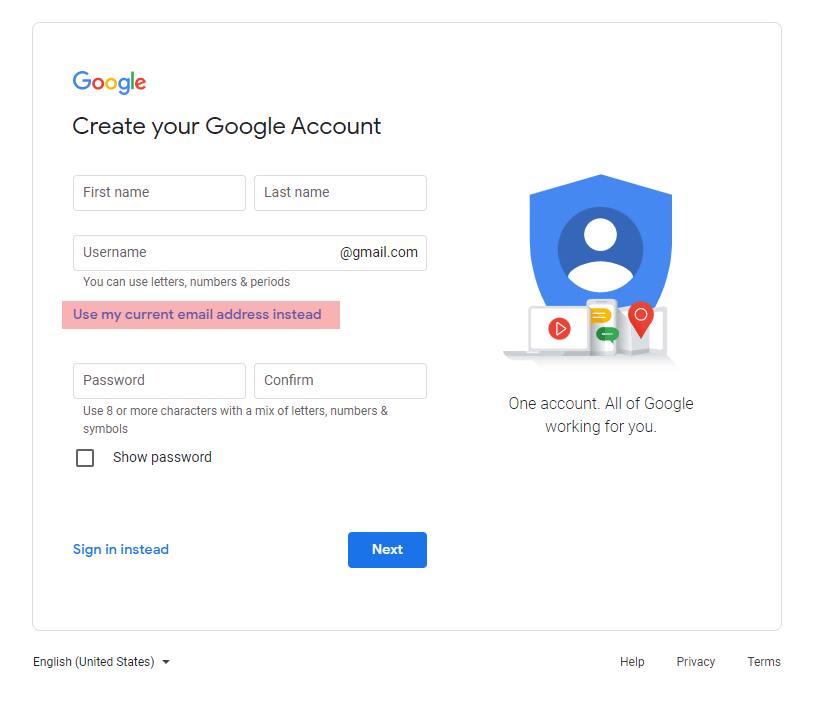
- Fill in the form (Use your existing email address)
- Click on “Next”. Now you will receive an email from Google with a code, which looks like this
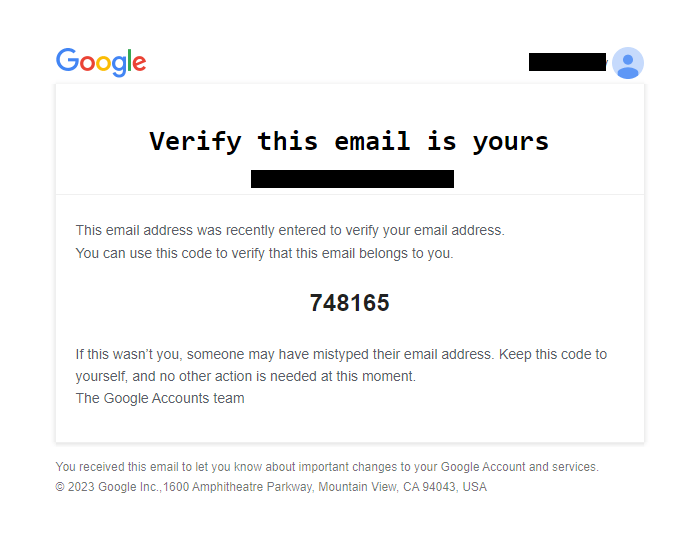
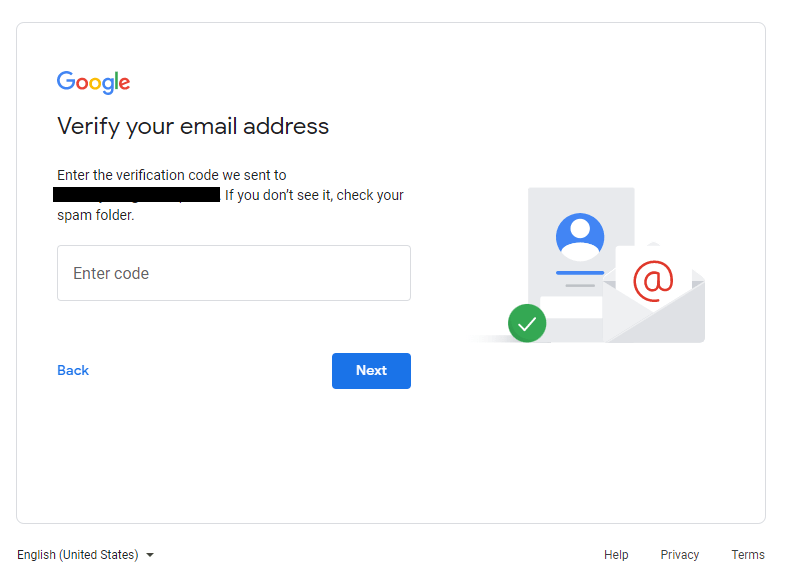
- Enter the code from the email in the form and click on “Next”
- Now, to verify your phone number, enter it in the next form
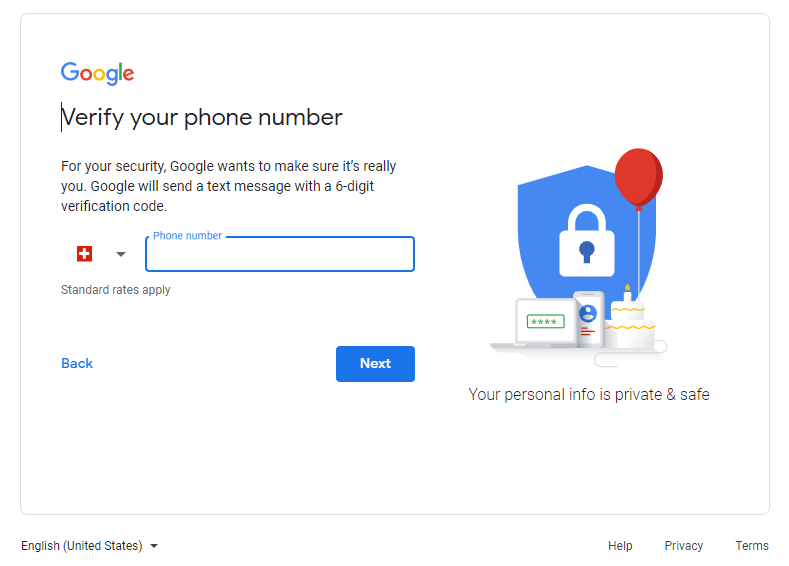
- You will receive a code via SMS. Enter the code in the form and click on “Next”
- After this step, you have to agree to the Google Terms of Service and Privacy Policy. Click on “I agree”
Conclusion
You have now created a Google Account with your existing email address. You can now use this Google Account to sign in to Google services.